
Tapas – Comics and Novels
Tapas Entertainment Inc.Comics
4.214.24K Reviews
- Version
- 7.13.1
- Installs
- 10.00M
- Age Rating
- Teen
Screenshots
Our Review of Tapas – Comics and Novels
 Analysis by Appyee
I see Tapas as a reading app for people who enjoy following stories a little at a time, especially comics and webnovels that invite you to return for another episode. Its appeal is the mix of visual storytelling, prose, and reader conversation in one place. That combination makes it more personal than a plain digital bookshelf, though it also means the experience depends on whether you like serialized reading and the social layer around it.
Published by Tapas Entertainment Inc., the app has been around since 2012 and is free to download. It has a 4.2 average from around 124,000 ratings, with more than 10 million installs. I’d treat those figures as a sign of an established reading community, not proof that every title will suit my taste. Tapas is rated Teen, and its current version is 7.11.2, so it’s worth keeping the age guidance in mind when choosing stories for younger readers.
Why the mix of comics and novels works
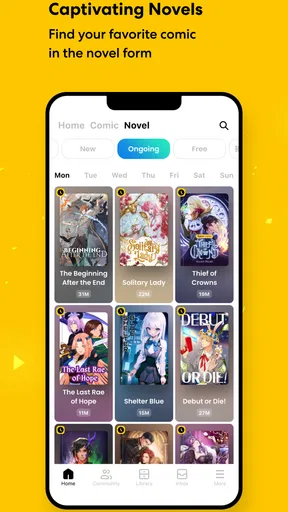
The most useful distinction is that Tapas gives me two different ways to settle into a story. Comics offer artwork and pacing through panels, while novels let the writing carry the scene. If I have only a short break, a comic episode can be easier to pick up; when I want a quieter reading session, prose can hold my attention without asking me to follow a sequence of images. I like being able to choose based on my mood rather than having to use separate apps for each format.
That variety is also a practical way to test what I enjoy. I can sample a story’s opening, notice whether its artwork or writing clicks with me, and then decide whether I want to keep following it. The drawback is that a big library can make choosing feel like work. I find it helps to browse with a loose preference—say, romance or horror—instead of trying to inspect every option. The app is most rewarding when I treat discovery as part of the entertainment, not as a task I need to finish.
Serialized reading and spending choices
Many stories are available to start for free, while some reading can involve in-app purchases. The listed purchase range runs from $0.99 to $99.99 per item, so I would check the purchase details before tapping through a paid option. The free entry point is useful for finding out whether a series holds my interest, but a story that hooks me can make continuing feel tempting. I’d decide on a comfortable spending limit before I get invested, rather than relying on impulse at the end of an episode.
For me, the best approach is to browse first and commit later. Sampling more than one title helps avoid spending on a series simply because it was the first appealing cover I saw. If I’m reading casually, I can stick to stories I can access without paying; if I choose to spend, I can do so deliberately and keep track of purchases. In-app spending is not a requirement for enjoying the app, but it is a real trade-off for readers who want uninterrupted access to particular stories.
Who will get the most from it
Tapas is a strong fit if I like discovering independent voices, following ongoing stories, and sharing reactions with other readers. It also suits someone who wants both comics and prose in the same reading routine. A student might open a short episode between classes, then return to a novel later at home; a commuter could use a brief stretch of downtime to catch up on a series. These are small, flexible reading moments rather than a promise of a complete book experience in one sitting.
I would be less likely to recommend it to someone who wants a carefully curated shelf of finished books, dislikes episodic pacing, or prefers reading without comments and community activity nearby. A conventional ebook app may be a better match for readers who mainly want long, complete volumes and a familiar library-first setup. Likewise, if someone only wants comics from a particular publisher or a very specific collection, a specialist service may make the search more direct. Tapas earns its place through variety and discovery, not by being the best tool for every reading habit.
Getting Started with Tapas
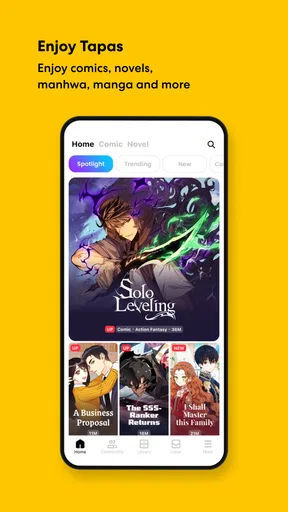
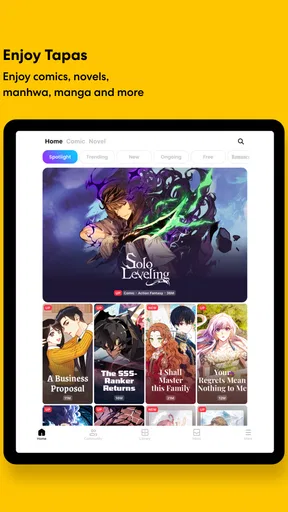
First off, downloading Tapas – Comics and Novels is a breeze. Available on both Android and iOS, the app takes only a few seconds to install. Once you open it, you’re greeted with a sleek and user-friendly interface that makes navigation a piece of cake. Right from the get-go, you can tell that a lot of thought went into organizing this app. I felt like a kid in a candy store, trying to decide which comic or novel to sink my teeth into first.
The app offers a mix of free and premium content. You can start reading many stories without spending a dime, but for those extra juicy tales, you might need to purchase some coins. The pricing is pretty reasonable, and there are frequent promotions if you're on a budget.
A Sea of Stories
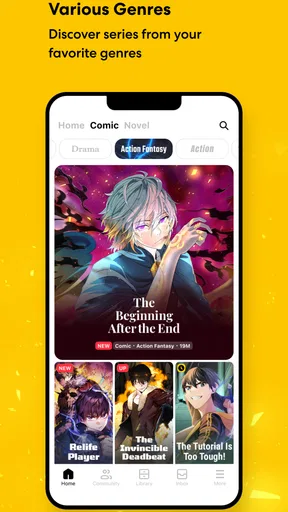
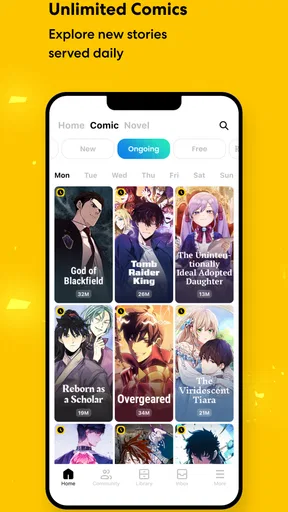
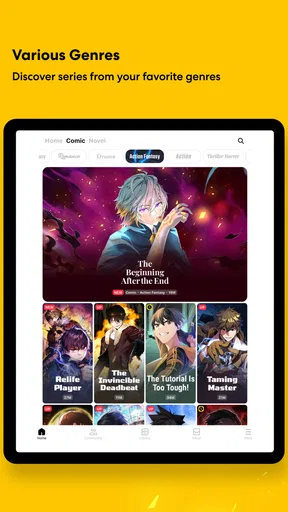
One of my favorite features of Tapas is its vast library. From heartwarming romances to spine-chilling horror stories, there's something for everyone. The genres are well categorized, making it easy to find exactly what you’re in the mood for. I found myself getting lost in the "Slice of Life" section, where the stories are relatable and surprisingly touching.
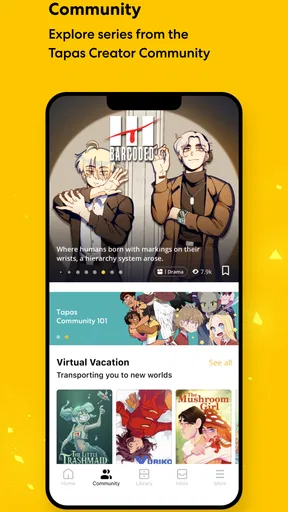
The variety is impressive, and you can even find some hidden gems. Many of the stories are from independent creators, giving you a chance to support and discover new talent. It feels like being part of a unique community of storytellers and readers alike.
Interactive and Engaging
Tapas isn't just about reading; it's about engaging. The app allows you to comment on episodes and interact with other readers, which adds a social element to the experience. I found it super refreshing to see others' perspectives on the stories, and it often led to some pretty interesting discussions.
Moreover, the app encourages creators and readers to connect. You can follow your favorite authors, receive updates on new releases, and even support them directly through the app. It’s a nice way to feel closer to the creative process and the community.
Visual and User Experience
The visual appeal of Tapas is top-notch. The comics are vibrant, and the novels are beautifully laid out. Reading on the app is smooth, with options to adjust the text size and background color to suit your preferences. Personally, I loved reading late at night with the dark mode on; it’s easier on the eyes and just feels cozy.
Loading times are quick, and I didn’t encounter any annoying lags or crashes during my time with the app. The developers have clearly put a lot of effort into ensuring a seamless user experience.
Making a reading routine work
Tapas makes the most sense when I build it into the small gaps of a day instead of expecting it to replace every other kind of reading. I might open a comic while waiting for an appointment, then leave a longer novel for a calm evening. The format encourages that rhythm: each return can be brief, and following an author gives me a simple way to notice when there is something new to read.
A useful habit is to keep a short mental shortlist rather than opening every appealing title at once. I choose one or two series that fit my current mood, follow the creators I genuinely want to revisit, and give a new story a fair opening before deciding whether it belongs in my routine. That reduces the feeling of having too many unfinished reads competing for attention. It also makes comments more meaningful: I can join a discussion because I care about the episode, not because I feel obliged to react to everything.
There is a small spoiler trade-off in any episode-based community. If I want to encounter a twist without outside opinions shaping it, I read the episode before opening its comments. If I enjoy seeing how other readers interpret a character or clue, the discussion can add another layer after I finish. That simple order—read first, browse reactions second—is a better fit for suspenseful stories than scrolling through conversation beforehand.
Finding the right title without losing an evening
Genre labels help narrow the field, but I wouldn’t treat them as a guarantee of tone. Two stories filed under romance, horror, or slice of life can feel very different in their pacing and emotional weight. I sample the opening with that in mind and ask a practical question: do I want to spend my next few reading sessions with these characters and this style? If not, moving on early is sensible; a large selection is only an advantage if I feel free to leave a title that is not working for me.
The same approach helps when choosing between a comic and a novel. I look at whether I want art-led storytelling or a page of prose, and whether I can give the story enough attention in the moment. A comic is often a comfortable choice when I’m tired or have a short pause, while a novel may suit a quieter stretch when I can focus on the writing. Neither format is automatically better, and the ability to switch between them is one of Tapas’s more practical strengths.
Readers who are sensitive to age suitability should use the Teen rating as a starting point, then consider the individual title and the person who will read it. The overall app rating does not tell me whether a particular story’s themes will be a good fit. I’d make that choice title by title, especially if I were helping a younger reader explore the catalog.
Where the experience can disappoint
The abundance that makes discovery fun can also make the app feel less focused than a traditional ebook library. If I arrive with a specific book in mind, I would rather use a service organized around that title or publisher than browse a broad mix of creator-led series. Tapas is strongest when I’m open to finding something, and weaker when I need a particular finished work quickly.
Serialized stories also ask for patience. An episode can be satisfying on its own, but some readers will prefer to wait until a longer stretch of a story is available rather than follow it in pieces. I would not choose Tapas as my main reading option if I want a self-contained novel every time I open an app. It is better for people comfortable with returning to ongoing narratives and letting a plot unfold over separate visits.
Social features are similarly a matter of taste. Comments can make a story feel shared, but they can distract from the artwork or prose if I want a private, uninterrupted session. I can simply keep my attention on the episode, but readers who find any visible community layer intrusive may be happier with a more solitary reader. The app’s blend of reading and interaction is a strength only when that interaction is welcome.
Final Thoughts
All in all, Tapas – Comics and Novels is a fantastic app for anyone who loves getting lost in a good story. Whether you're into comics or novels, there's a treasure trove of content waiting for you. The blend of free and premium options makes it accessible, and the community aspect is a delightful bonus.
So, if you're in need of a new obsession or just want to explore a world of diverse stories, give Tapas a try. It's a little slice of escapism that fits right in your pocket. Happy reading!
My recommendation
I recommend Tapas most to curious readers who enjoy creator-driven comics and novels, don’t mind following stories in installments, and like the option of discussing an episode after reading it. It is also a sensible choice if you want to try a new genre without committing to a full-length book straight away. The free starting point lowers the barrier to browsing, while the paid route is there for readers who decide a particular series is worth continuing.
I would steer a reader toward a conventional ebook service instead if their priority is a quiet, finished volume and a library they already know how to organize. For someone who wants one dedicated comic catalog, a specialist comics app may be more focused. But when I want a mix of illustrated stories, prose, new voices, and reader reactions, Tapas offers a distinct kind of reading session. I’d start with a genre I already enjoy, sample a couple of openings, and spend only when I’m sure I want to keep going.
Privacy and Permissions
See what permissions an app requests and how it handles your data.
- Location
- approximate location (network-based)
- Photos/Media/Files
- read the contents of your USB storage
- Storage
- read the contents of your USB storage
- Wi-Fi connection information
- view Wi-Fi connections
- Other
- view network connections, full network access, run at startup, reorder running apps, control vibration, prevent device from sleeping, Google Play license check, read Google service configuration
Verdict
Strengths of Tapas – Comics and Novels
- Wide range of genres available.
- User-friendly interface design.
- Offline reading mode supported.
- Regular updates with new content.
- Interactive community features.
Limitations of Tapas – Comics and Novels
- Limited free content available.
- Some ads can be intrusive.
- In-app purchases can be costly.
- Occasional loading issues.
- Not all series are complete.
Similar Picks in This Category
View All
WEBTOON: Manga, Comics, Manhwa
NAVER WEBTOON4.6

MangaToon: Comic & Manga
MangaToon4.3

네이버 웹툰 - Naver Webtoon
NAVER WEBTOON4.3

Lezhin Comics - Daily Releases
LEZHIN ENTERTAINMENT3.3

WebComics - Webtoon & Manga
WEBCOMICS HOLDINGS HK LIMITED4.4

MANGA Plus by SHUEISHA
株式会社 集英社3.6
Frequently Asked Questions
What is Tapas – Comics and Novels?
Tapas is a mobile app that offers a vast library of comics and novels from various genres, created by a diverse community of independent writers and artists. Users can explore stories ranging from romance and fantasy to horror and drama. The app provides a platform for both readers and creators, making it a vibrant community for storytelling enthusiasts.
Is Tapas free to use?
Tapas offers a free version that allows users to access a selection of comics and novels at no cost. However, there are premium stories and episodes that require the purchase of Tapas Ink, the app's currency. Users can earn or buy Ink to unlock these premium contents, supporting their favorite creators in the process.
How does the Tapas Ink system work?
Tapas Ink is the in-app currency used to unlock premium episodes of comics and novels. Users can purchase Ink through the app or earn it by watching ads, participating in events, or completing offers. This system allows users to support creators by unlocking paid content, ensuring a sustainable platform for diverse storytelling.
Can I publish my own stories on Tapas?
Yes, Tapas provides an opportunity for aspiring writers and artists to publish their own comics and novels. Creators can join the platform, upload their work, and engage with a global audience. Tapas also offers tools and resources to help creators monetize their content, making it an attractive option for new and experienced storytellers alike.
Is the content on Tapas suitable for all ages?
Tapas hosts a wide range of content, some of which is suitable for all ages, while others may be geared towards mature audiences. The app includes ratings and content warnings to help users make informed decisions about what to read. Parents are encouraged to review these ratings to ensure appropriate content for younger readers.
